The Explorer is a searchable, filterable list of everything happening on the project — all tasks and all interruptions in one place. Use it when you want to find a specific task, audit what’s overdue, or review the interruption history.
Getting there
Open a project → Explorer
Two tabs
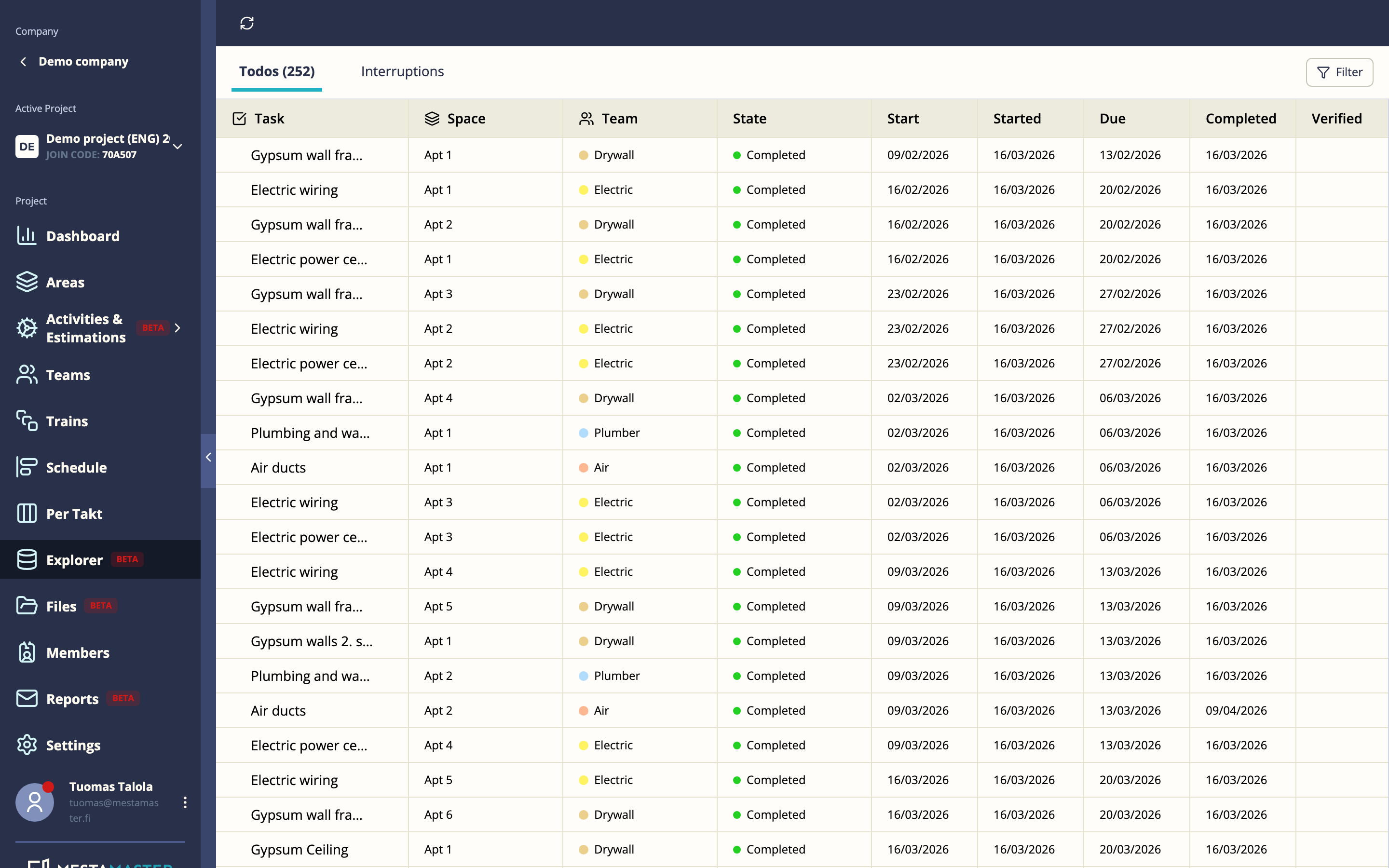
Todos
A full list of every task on the project. Columns include:
| Column | Description |
|---|---|
| Task name | Name of the task |
| Space | Which area the task is in |
| Team | Which team is responsible |
| State | Current status |
| Planned start | When the task is scheduled to start |
| Planned due | When the task is scheduled to finish |
| Started at | When work actually began |
| Completed at | When work actually finished |
| Verified at | When the task was verified (if applicable) |
Tasks that are overdue are marked with a Late indicator.
Interruptions
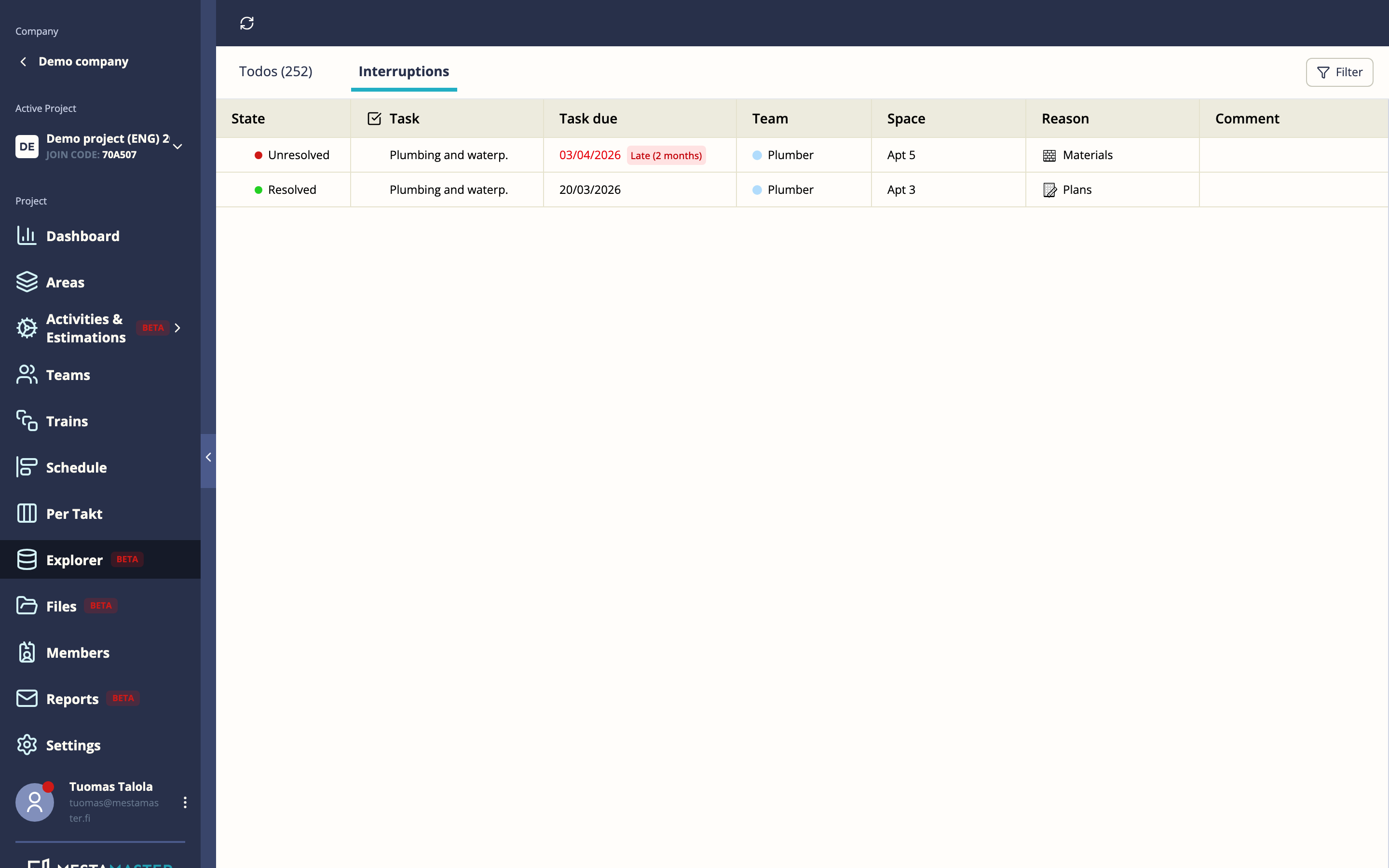
A full log of every interruption recorded on the project. Columns include:
| Column | Description |
|---|---|
| State | Resolved or unresolved |
| Task | Which task was interrupted |
| Due date | The task’s planned due date |
| Team | Which team was affected |
| Space | Where the interruption happened |
| Reason | Category of interruption |
| Comment | Free-text note added at the time |
| Created | When the interruption was recorded |
| Resolved | When it was resolved (if applicable) |
| Time to resolve | How long it took to resolve |
Filtering and sorting
Click column headers to sort. Use the filter controls to narrow down by status, team, or date range.
Tips
- Explorer is the best place for a weekly project audit — sort by Late and work through the overdue tasks with your team.
- The Interruptions tab is useful for contractor review meetings — filter by team to discuss a specific trade’s blockers.
- The sidebar in Explorer is the same as in Per Takt — you can take task actions (start, complete, interrupt) directly from here.