Reports lets you send automated project status emails to stakeholders — clients, management, or anyone who wants a regular update without logging into the app. You control the schedule and the recipient list.
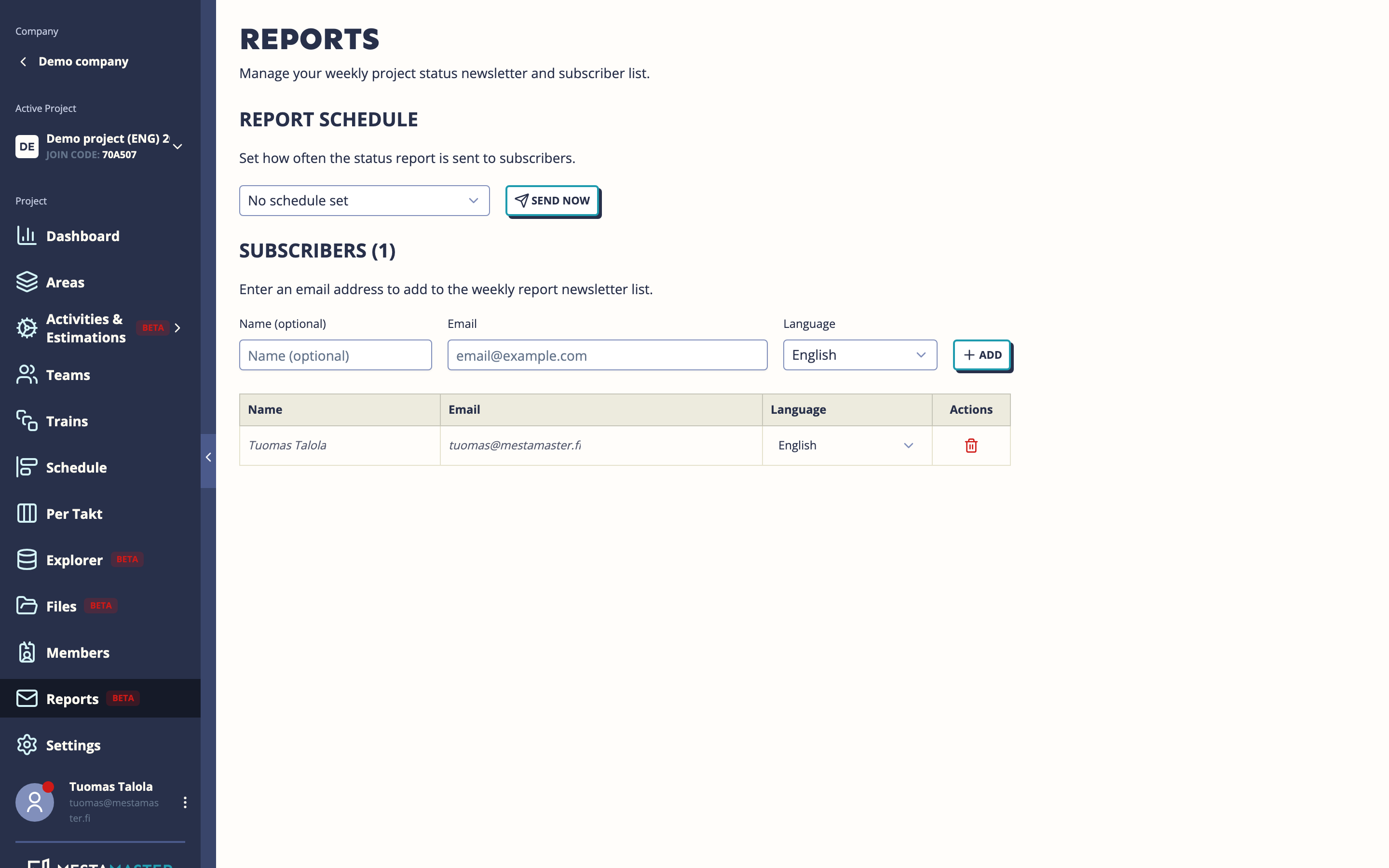
Getting there
Open a project → Reports
The report email
Each report is an HTML email containing a project status summary — completion percentages, recent progress, and key metrics. Reports are generated automatically from live project data.
Recipients don’t need a Mestamaster account to receive and read reports.
Setting the schedule
Choose how often reports are sent:
| Option | When emails are sent |
|---|---|
| No schedule | Reports are only sent manually |
| Weekly on Monday | Every Monday |
| Weekly on Friday | Every Friday |
| Every two weeks on Monday | Every other Monday |
| Every two weeks on Friday | Every other Friday |
| Monthly on the 1st | First of each month |
Click the schedule option to activate it. It saves immediately.
Sending a report now
Click Send now to dispatch a report to all current subscribers immediately, regardless of the automatic schedule. A confirmation modal is shown before sending.
Use this before stakeholder meetings or when something significant has happened that you want to communicate quickly.
Managing subscribers
Adding a subscriber
Click Add subscriber and enter:
- Email address
- Language — the language the report will be written in (useful if you have international stakeholders)
Removing a subscriber
Click the remove icon on any subscriber row. A confirmation is shown before the subscriber is removed.
Tips
- Weekly Friday reports work well for keeping clients informed at the end of each work week.
- If you have stakeholders who speak different languages, add them with their preferred language — they’ll each receive the report in their own language.
- The subscriber list is separate from the project member list — you can add external email addresses that don’t have project access.